Plugin Description
* Added Post / Pages Order and Sort Support! *
WP Featured Content Slider is a very powerful WordPress Slideshow. You can feature as many Posts and Pages as you want. You can define a picture for every single post/page which will then be automatically cropped to the right resolution. WP-Featured Content Slider comes with a great option set. You can even define sliding effects such as „fade“ or „slideRight“ and many more. Furthermore you can adjust timeout and many Layout and Design Options. Inserting Posts/Pages to WP-Featured Content Slider is as easy as you can imagine. Simply choose „Feature in WP-Featured Content Slider“ when editing a post/page.
Installation:
Install the Plugin automatically via WordPress Plugin Installation Area or download the newest version of the Plugin right below, extract the files and upload them to your wp-content/plugins folder.
- Download newest version from below
- Extract and upload to your wp-content/plugins folder
- Activate the plugin in WP-Admin
- Insert following PHP Snippet in your template file
<?php include (ABSPATH . '/wp-content/plugins/wp-featured-content-slider/content-slider.php');?>
- Or you can use [featslider] as a placeholder in your Post/Page to insert the Slideshow
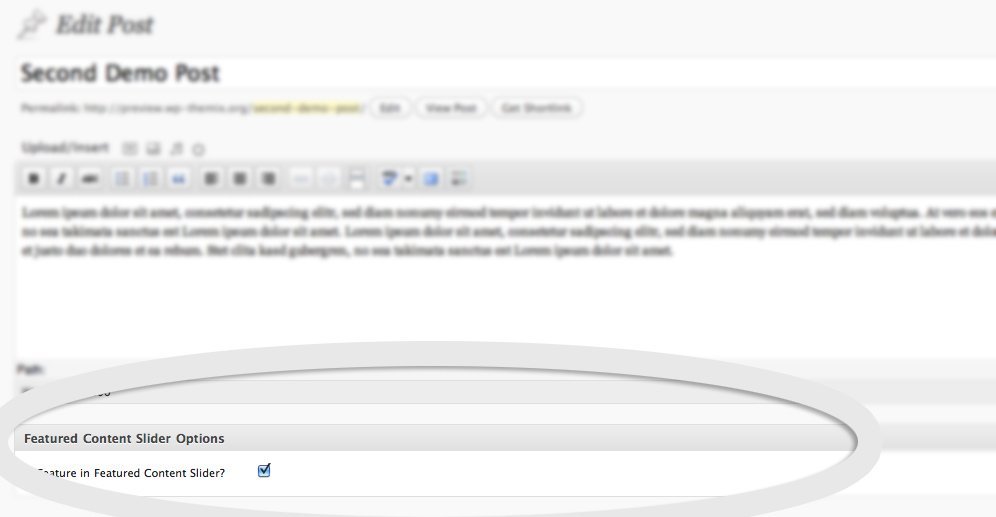
- Now Edit a Post or a Page and scroll down to „WP-Featured Content Slider Options“ which should be right below your Editor
- Choose „Feature in WP-Featured Content Slider“ and set an Featured Image („Feature Image“ when Editing Post/Page)
- Now save the post/page and have a look at your Slideshow!
- The image will be automatically cutted so that it fits the Slideshow (No need for timthumb anymore – Version 2.1)
- You can adjust Settings, Layout under Settings – WP-Featured Content Slideshow
Demo:
Download:
Troubleshooting:
Thumbnails are being generated automatically via wordpress built-in functionality. There is no need to support timthumb anymore. If you are already using the plugin with images, you will need to regenerate thumbnails (regenerate thumbnails plugin). If you are customizing image-size you will need to regenerate as well!
Enjoy this new Slideshow WordPress Plugin
Dieses Plugin wird zusätzlich gesponsert von Schönheitsoperation Hannover und Appartment und Ferienhaus am Diani Beach Kenia.















IF you can incoperate following lines. It is possible to use an own stylesheet:
In content-slider.php before the opening style-tag:
if (!file_exists(TEMPLATEPATH.’/css/featured-content-slider.css‘)) {
and afert the closing style-tag:
}
In featured-content-slider.php at line 26 (after wp_enque_script…)
if (file_exists(TEMPLATEPATH.’/css/featured-content-slider.css‘)) {
wp_register_style(‚fcs_Style‘, get_template_directory_uri().’/css/featured-content-slider.css‘);
wp_enqueue_style(‚fcs_Style‘);
}
Hello!
It is a cool plug-in.
To the help I will write a problem with which faced.
Content-slider.php file:
#featured_slider.feat_next {
z-index: 10;
}
#featured_slider.feat_prev {
z-index: 10;
}
When slides and their more than 10 are added,
Respectively arrows(to the left, to the right) won’t work. Correct this problem and a plug-in it will be even better.
Yours faithfully Eugene.
Updated to V2.6 today.
Now seeing this error message:
Warning: call_user_func_array() [function.call-user-func-array]: First argument is expected to be a valid callback, ‚c_slider_init‘ was given in /home/xxxxxx/public_html/xxxxx/wp-includes/plugin.php on line 403
Thanks for the report. Newest Archive @Wordpress.org includes fixed version!
Hi! Very nice plugin, thank you. Can you say, can i turn off prev next buttons and turn on buttons for every slide (ex. 1,2,3,4)?
Hi Dennis,
I am using your plugin on WP 3.4.2 and my issue is that when the page loads, the images for the slideshow are stacked up on top of each other, while the rest of the page renders. Is there a way to fix this? If you can help, I don’t mind giving you a donation 🙂
Cheers,
Jane
Hi, it works great. Just 1 thing… possible to make it display the Excerpt for the post, instead of the post content? Because I may have some post with good title, but very limited content. Thanks.
Hello,
I was wondering if there was a way to have the link to the featured page/post in the slider open in a new window? For various reasons I need to have the slider displayed on an iframe if the target can not be a new window then the page will open within the iframe…. which won’t work. Is there an easy way to do this?
Thanks,
Mark
I see „code“ before the text on my „Featured Content Slider“. I’ve tried but can’t find out how to remove it. It has worked fine for months but how can I fix it now?
thank you so much for any help you can give to me (I’m 83 yrs old so maybe too old to do this????)
Anna Lee, to have it display the Excerpt I changed line 40 in the file „featured-content-slider.php“.
From This:
$content = apply_filters(‚the_content‘, $content);
To This:
$content = apply_filters(‚the_excerpt‘, $content);
Hallo,
super Plugin. Macht eigentlich genau das was ich gesucht hatte. Leider werden im Slide keine Artikelbilder gezeigt. Auch wenn ich extra ein Bild im Beitrag dafür festlege.
Beim ersten Slide Durchgang erscheint ein leeres Feld anstatt des Bildes und beim zweiten Durchgang ist nur mehr der Text da. Was kann das sein?
Vielen Dank für das Plugin!
lg, Andreas
I posted this comment yesterday but looks like it was deleted. This plugin is fantastic and I was easily able to load it between the loop and the header on my front page. The problem is that images aren’t showing up. All the posts I’ve included have images inserted and tagged as featured images, but all that shows up on the slider is an empty white space.
I see this same question a few other places in the comments here, but didn’t see an answer. Any suggestions would be much appreciated!
wonderful Plugin, easy to costumice….
I have on Problem:
I get always an error message when featuring a picture. the pictures are then in the in the bibliothek, but are not appearing in the fearuring picture dialog. there are also no pictures visible I have done befor in the mediathek….
please see:
http://www.flickr.com/photos/manfred_schindler/10358570655/
thanks in advance